NEUIGKEITEN!!!Das W 602 BS ist wieder von den Toten auferstanden.
Das W 702 BS ist hinüber, zumindest ich bring es nicht her.


Hello,
This update primarily optimizes the connection between the device and the motorcycle and improves device stability. No new features have been added. If you have finished updating the current software, please let us know and we will send you a second one.
Sincerely,
Carpuride Team

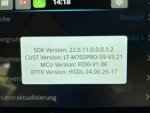
Habe auch mal bei Carpuride wegen einem Update für das W702BS nachgefragt.Aktuell Software Stand für das W702BS
Bei CUST
Bei MCU
Uhr Zeit funktioniert so wie es soll, was mir aber nicht wichtig ist.

Ich hatte eine ähnliche Erfahrung. Die Schwierigkeiten treten tatsächlich auf, wenn die Anweisungen von Carpuride nicht befolgt werden. Dazu gehört unter anderem die Verwendung einer SD-Karte mit weniger als 32 GB, die im FAT32-Format formatiert ist. Einige Benutzer haben die Binärdatei vom Smartphone auf eine Karte verschoben, wobei manche Smartphones zusätzliche Ordner oder Papierkorbdateien erstellen. Die Reihenfolge ist ebenfalls entscheidend, ebenso wie der passende USB-Stecker inklusive unterbrechungsfreier Stromversorgung. All dies kann zu einem schwarzen Bildschirm führen.Hello,
This update primarily optimizes the connection between the device and the motorcycle and improves device stability. No new features have been added. If you have finished updating the current software, please let us know and we will send you a second one.
Sincerely,
Carpuride Team
Ich besaß noch die sehr alte Version (ca. 1,5 Jahre). Ich habe zwei Updates von Carpuride erhalten und stelle fest, dass die Uhrzeit oben immer noch nicht funktioniert. Carpuride hat dies anschließend auch per E-Mail bestätigt.Hello,
Your device requires a software update. The update will be performed in two phases. Please inform us of your motorcycle's year and model after the current update is complete, and we will send you the second update.
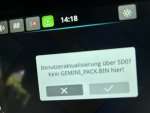
Please use a PC Windows computer to copy the latest version of the software ISPBOOOT.BIN to the TF Card, power on the Carpuride unit, and wait for 10 seconds to display the operation interface. After inserting the TF Card, the "upgrade MPEGBOOTI" will pop up. Check √ -> Wait for the upgrade progress bar to reach 100% -> Update successfully and power the device off-> pull out the TF Card and then power it on.
Need to pay attention to these situations.
1. When installing the device, the TF Card can only store the ISPBOOOT.BIN software. If there are other files, it will cause interference and cause the upgrade to fail. It is recommended to use the C10 standard 32GB TF card. It is recommended to format the TF card with Fat32 as the file system before copying the software to the TF card.
2. The file name cannot be changed or added characters, it must be the same as the attachment.
3. The memory of the TF Card does not exceed 32GB, thank you.
4. Please do not remove the TF Card during the upgrade in case of damage to the device. Thank you.
Die Kompasskalibrierung ist entfallen, die Uhrzeit wird weiterhin nicht unterstützt, das Startlogo und das Motorrad (das, was ich geändert hatte) sind verschwunden. Ich sehe keine neuen Funktionen, die durch das Update hinzugekommen sind und das Gerät meiner Meinung nach verbessern würden.Hello,
The time display issue is currently unresolved.
The second software update is as follows.
Please note that you must update the software in the order we sent; otherwise, your device will repeatedly restart. Thank you.
The attachment is the latest MCU software, and the following is the software upgrade steps, which may help you.
(1) Download the software APM32F030.bin to Windows. It should be reminded that if the software is not downloaded and stored to the computer, but directly saved to the TF card through the network as a separate file, it may change the definition of the software itself, resulting in a black screen on the device and preventing the upgrade from being successful.
(2) Insert the TF card into the card reader, then insert the card reader into Windows, and format the TF card on the computer, the file format is FAT32. A 32GB TF card is recommended.
(3) Copy the software APM32F030.bin to the TF card. Please note that you cannot add or modify characters to the name of the software. If the software name contains characters such as (1) or (2), the upgrade will be unsuccessful.
(4) Pull out the card reader, take out the TF card, power on the Carpuride device, and then insert the TF card into the Carpuride device, the screen will be automatically updated.